Last updated: November 19, 2026
Key Takeaways
- A replenishment rule sets the refill amount, timing, and pause point until the fund recovers.
- Choose the transfer amount, date, and one spending trade-off before the next paycheck.
- Weekly or biweekly transfers usually fit cash flow better than vague timing.
- Make the savings transfer automatic on the same day each pay cycle.
If you pulled money from your emergency fund, set an emergency fund replenishment rule after a withdrawal the same day so the balance starts recovering on a fixed schedule. The right rule is the one you’ll actually follow, not the one that sounds tidy on paper. This guide shows how to choose a refill cadence, reset your budget, and keep the savings transfer moving without wrecking the rest of your month.
What an emergency fund replenishment rule should do
A replenishment rule tells you how much to move back, how often to move it, and what gets paused until the fund is rebuilt. After a withdrawal, the goal is not to “feel good about saving again”; it is to make recovery automatic enough that you don’t have to renegotiate with yourself every week.
Picture this: you used $800 from your emergency fund for a car repair, and now your checking account feels thinner than usual. You still have rent, groceries, and a utility bill due in the next 10 days, so the refill has to fit inside a real budget. That’s where the rule matters. It turns a vague promise into a fixed transfer you can live with.
A good rule has three parts:
- Trigger: the moment a withdrawal happens.
- Cadence: weekly, biweekly, or monthly transfers.
- Stop point: when the fund is back to its target balance.
For most people, the simplest version is a recurring transfer tied to payday. The transfer amount can be a flat amount or a budget-based percentage. The key is that it happens on the same rhythm you already use for paychecks or bill pay, so it doesn’t depend on memory.
According to the Consumer Financial Protection Bureau, automated transfers can help people save consistently, and the FDIC notes that recurring transfers are a practical way to build savings habits. Consumer Financial Protection Bureau, FDIC
Here’s the catch: a replenishment rule is not the same as a new savings goal. It is a recovery plan. If the rule is too ambitious, you’ll break it the first month and stop. If it’s too loose, the fund stays half-empty for too long.
How do I set up a replenishment rule after one withdrawal?
You set it up by choosing a refill amount, a transfer date, and one spending trade-off before the next paycheck. The cleanest version takes 15 minutes and gives you a rule you can repeat after every withdrawal.
Start with the size of the withdrawal. If the withdrawal was small, a short refill window may work. If it was large, split the recovery into smaller transfers so the budget can carry it. A rule that asks for the full amount back in one month may be too aggressive; a rule that stretches for a year may be too weak.
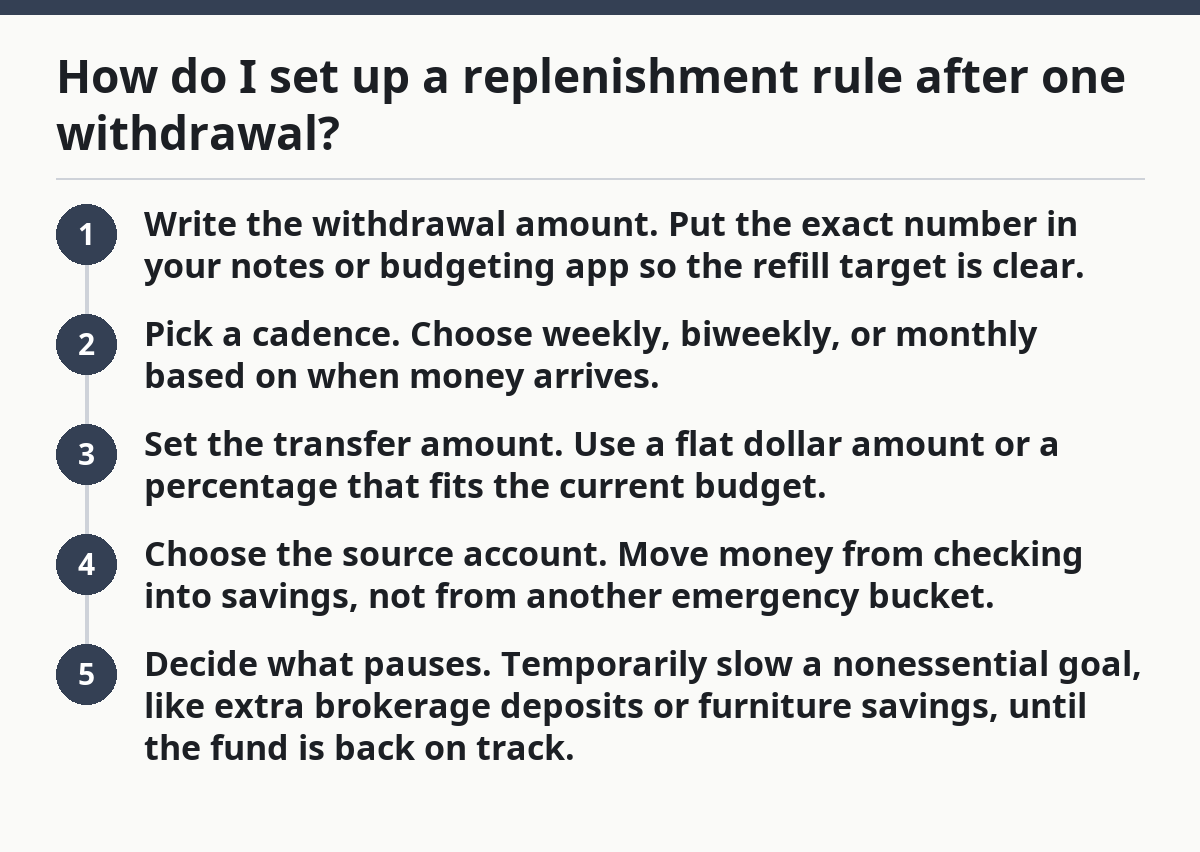
Use this 5-step setup:
- Write the withdrawal amount. Put the exact number in your notes or budgeting app so the refill target is clear.
- Pick a cadence. Choose weekly, biweekly, or monthly based on when money arrives.
- Set the transfer amount. Use a flat dollar amount or a percentage that fits the current budget.
- Choose the source account. Move money from checking into savings, not from another emergency bucket.
- Decide what pauses. Temporarily slow a nonessential goal, like extra brokerage deposits or furniture savings, until the fund is back on track.
The best part is that you don’t need a fancy formula. A simple rule such as “$75 every Friday until the fund is back to target” is easier to execute than a clever plan you can’t maintain.
A plain refill schedule also helps if the withdrawal came from a true emergency. You won’t have to revisit the decision each payday. The transfer becomes part of the budget, like a recurring bill. That keeps the recovery from drifting into “next month” for six straight months.
What refill cadence actually works in a real budget?
A weekly or biweekly cadence usually works best because it tracks cash flow, not wishful thinking. Monthly transfers can work too, but only if your bills are stable and your checking account stays healthy between paydays.
Picture this: your paycheck lands every two weeks, and your emergency fund is down by $600. If you wait for the end of the month, you may spend the money elsewhere before the transfer happens. If you move $75 each payday, the refill stays tied to income and is less likely to get skipped. Small, regular movement beats a perfect plan that never triggers.
A useful rule is to match the transfer to the money rhythm already in your life:
- Weekly pay: use a weekly savings transfer.
- Biweekly pay: transfer on payday or the next business day.
- Monthly pay: set one transfer for the day after bills clear.
That cadence can be paired with a stop date if you want a clear finish line. For example, a $400 withdrawal refilled at $100 per month finishes in 4 months. A $300 withdrawal at $25 per week takes a little longer, but the smaller bite may protect your budget better.
On the flip side, don’t use a cadence that depends on “extra” money showing up. A replenishment rule should work even in an ordinary month. If the plan only functions after a bonus, overtime, or a windfall, it is not a rule; it is a hope.
How do I make the savings transfer automatic?
You make the savings transfer automatic by scheduling it from checking to savings on the same day each pay cycle. Most banks and credit unions let you set a recurring transfer in a few clicks, and that’s usually enough for a simple refill plan.
Because automation removes the daily decision, the rule can run without a fresh argument every week. That matters after a withdrawal, because people are often tempted to slow the refill when bills feel tight or the account looks low.
Use a transfer setup that fits your pay rhythm:
- If you get paid on Friday, schedule the transfer for Friday evening or the next business day.
- If you get paid twice a month, use both paydays rather than one large monthly transfer.
- If your bank charges for too many transfers, keep the schedule simple and avoid unnecessary splits.
The truth is, automation only works if the amount is realistic. A $200 transfer that causes overdrafts is a bad rule, even if it looks disciplined on paper. A smaller $25 or $50 transfer that actually clears is better than a larger amount that bounces or forces a credit card swipe later.
A smart rule also gives you a place to pause. If one month turns tight, you can reduce the transfer by half instead of canceling it entirely. That keeps the habit alive while you reset the budget.
According to the Federal Reserve, unexpected expenses are common enough that many households need a cash buffer, which is why a practical transfer plan matters. Federal Reserve
How should I reset my budget until the fund is back?
You reset your budget by making the emergency fund refill a line item, not a leftover. The transfer should sit beside rent, utilities, food, and gas so it gets funded before discretionary spending does.
Picture this: after a withdrawal, your checking account still has money in it, but every dollar already has a job. If you don’t redraw the budget, the refill will compete with dinners out, subscriptions, and impulse buys. That’s how the fund stays underfilled for months.
Use this simple budget reset:
- Cut one nonessential category for 30 days.
- Move that amount into the refill transfer.
- Keep the rest of the budget unchanged.
- Recheck the plan at the end of the month.
A real budget reset often means pausing one or two extras instead of trying to find “new” money. That could be a clothing budget, a hobby purchase, or additional transfers to a separate goal. The point is to redirect cash with the least pain, not to make every category suffer equally.
If the withdrawal was large, keep the reset visible in the budget app or spreadsheet until the target is restored. A note like “Emergency fund recovery: $150 remaining” works better than a vague goal like “save more.” Specific numbers keep the plan honest.
For broader context on access rules, the hub on [Emergency Fund Access and Availability] can sit above this page. This page focuses on the refill side, not the decision to use the fund in the first place.
What mistakes make a replenishment rule fail?
A replenishment rule fails when it is too vague, too big, or easy to ignore. The most common mistake is treating the refill like a wish instead of a scheduled transfer, so if the situation feels hard to manage, consider a budgeting professional or financial counselor for personalized guidance. Another is restarting all other savings at full speed before the emergency fund is back in shape.
Picture this: you withdraw $1,000, promise to “put it back soon,” and then keep funding vacation savings, home upgrades, and retirement extras at the same pace. The emergency fund stays low while the rest of your goals keep moving. That split focus usually means the refill drags on far longer than it should.
Watch for these failure points:
- No date: “I’ll refill it later” has no pressure behind it.
- Too-large transfer: the budget breaks, so the rule gets canceled.
- No budget trade-off: the refill competes with every other goal and loses.
- No stop point: you keep transferring after the fund is already restored.
Here’s the better move: decide what pauses for the refill period. If you want the rule to survive, choose one target to slow down for 1 to 3 months. That small sacrifice beats the slow bleed of half-committed transfers.
Another trap is putting the money back into the wrong place. If the withdrawal came from a separate high-yield savings account, the refill should go back there, not into checking or a general savings bucket. Otherwise the balance looks higher than it really is, and the next emergency catches you short again.
How do I know when the rule is done?
The rule is done when the emergency fund reaches its target balance and the transfer stops on purpose. Don’t let the refill run forever, or it turns into a permanent drag on your budget.
Picture this: your fund was meant to hold $2,000, and after a withdrawal it dropped to $1,400. The refill rule should keep running until the missing $600 is back, then stop or switch to your normal savings plan. That clean end matters as much as the start.
A good ending looks like this:
- The balance matches the target.
- The recurring transfer is canceled or reduced.
- The budget lines that paused are turned back on one by one.
- The next monthly review confirms the fund still holds the right amount.
If you prefer a buffer, you can keep the refill rule active for one extra transfer cycle after the target is reached. That can help if fees, interest, or a small debit hit the account before the month closes.
The best refill rule is the one that leaves no guesswork for your budget. When the balance is restored, you should know exactly what happens next. No drift. No “maybe we’ll keep saving just in case.” Just a clear handoff back to your normal plan.
How fast should I put emergency savings back?
Put it back on a schedule you can actually keep, usually tied to payday. If you try to restore the full amount too quickly, the budget may break and the plan may stall. A steady weekly or biweekly transfer is often easier to follow than a big one-time push.
Should I pause other savings after a withdrawal?
Yes, if pausing one nonessential goal helps the refill happen. A short pause on extra investing, vacation savings, or another flexible goal can keep the emergency fund recovery on track. The point is to protect the refill without blowing up the rest of the budget.
What if I used the fund for a real emergency?
Treat it the same way: if you want a stable budget, refill it with a clear schedule and a defined stop point, and if the situation is unusually complex, consider speaking with a financial professional for guidance. The reason for the withdrawal changes the story, but not the job of the replenishment rule. If the emergency was large, the refill may need to be slower so your monthly cash flow stays stable.
Drafted with AI; not yet reviewed by a person.