Last updated: November 19, 2026
Quick Answer: How to Keep an Emergency Fund in a Separate Bank Without Losing Transfer Speed usually comes down to one setup: a separate savings account, one linked checking account, and a tested transfer path that can still take 1 to 3 business days. A separate-bank emergency fund can still be fast if you link the external account, verify the routing number, and keep one backup checking account ready.
This page shows the transfer setup, timing, and backup steps that keep the money reachable.
Key Takeaways
- A second bank does not have to mean slow money.
- The real job is setup: link the account, confirm the routing number, and learn your bank’s transfer cutoff.
- Keep one linked checking account as the bridge, not the emergency fund itself.
- A backup bank matters when your main app, card, or login fails.
- The fund should be easy to move, not easy to spend.
How a separate-bank emergency fund stays fast
Picture this: you’ve got the money tucked away at a different bank, and now a car repair lands on a Thursday afternoon. You need the transfer to move in hours, not after the weekend, and you don’t want the account so close that you spend it on impulse.
How a separate-bank emergency fund stays fast is simple: you pre-link accounts, use an external bank transfer rail your bank supports, and keep a checking account at the same institution as the fund. That setup gives you separation for discipline and a short path for cash when you need it.
The catch is that “fast” can mean different things. A same-day transfer inside one bank often beats an external bank transfer, but an external setup can still work if you follow your bank’s rules and, if needed, consult a financial professional about the safest transfer path for your situation. The Consumer Financial Protection Bureau’s bank-account guidance is a useful starting point: https://www.consumerfinance.gov/consumer-tools/bank-accounts/
Here’s the useful frame:
- Separate bank for the savings behavior.
- Linked external account for the transfer path.
- Checking account as the spending bridge when money has to move.
If you want the bigger storage picture, this page sits under the hub on emergency fund storage and liquidity choices. That hub covers the wider trade-offs; this page stays on speed and access.
Set up the transfer path before you need it
Picture this: you open the app after a flat tire and discover the bank wants a micro-deposit, a wait, or a fresh login. That’s the moment you learn whether the setup was real or just hopeful.
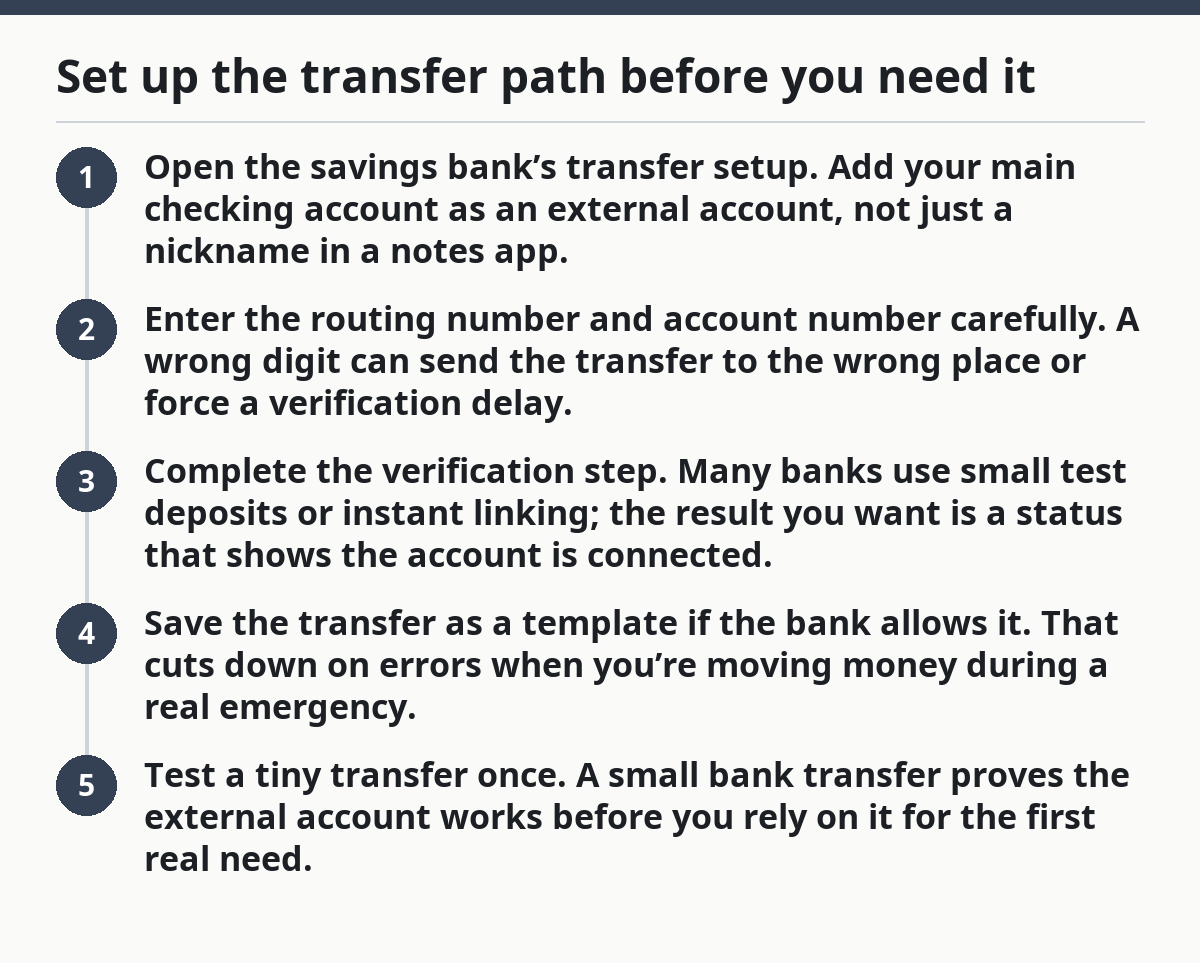
The right move is to set up the bank transfer before there’s any pressure. You want the external account linked, the routing number confirmed, and the transfer screen already used once so the path is familiar.
- Open the savings bank’s transfer setup. Add your main checking account as an external account, not just a nickname in a notes app.
- Enter the routing number and account number carefully. A wrong digit can send the transfer to the wrong place or force a verification delay.
- Complete the verification step. Many banks use small test deposits or instant linking; the result you want is a status that shows the account is connected.
- Save the transfer as a template if the bank allows it. That cuts down on errors when you’re moving money during a real emergency.
- Test a tiny transfer once. A small bank transfer proves the external account works before you rely on it for the first real need.
Which bank transfer timing should you expect?
Picture this: your furnace quits, the repair tech wants a deposit, and you’re staring at a transfer screen that says “pending.” You don’t need a theory lesson; you need to know what timeline is normal and where the delay comes from.
Most banks route an external account transfer through a standard ACH-style process, and that can take 1 to 3 business days depending on the bank and the time you submit it. A same-bank move is often faster, but this setup is about keeping the fund separate without giving up reasonable speed.
A few timing details matter more than people expect:
- Transfers started after a bank’s daily cutoff may not begin until the next business day.
- Weekends and bank holidays can stretch the wait.
- First-time transfers often move slower than repeat transfers.
- Larger transfers can trigger extra review at some banks.
Now, you might be wondering whether instant transfer is the answer. Sometimes it is, but only if your bank offers a true instant push to a debit card or another eligible rail, and those paths can carry fees. For many emergency funds, the better answer is a tested external bank transfer plus a backup checking account with enough cash for the first bill.
If you want a source to check your bank’s transfer rules, look at the bank’s own funds availability and transfer agreement. The Consumer Financial Protection Bureau also has plain-language material on bank transfers and access to funds:
https://www.consumerfinance.gov/consumer-tools/bank-accounts/
How to set up a backup bank without making the fund messy
Picture this: your main phone dies, your login locks, or your primary checking account is under review right when you need cash. A backup bank gives you a second lane so one failed login does not block the whole plan.
A backup bank is a second checking account at a different institution that can receive money from the emergency fund if the main route stalls. It is not there to hold the whole fund. It is there to shorten the last mile.
A clean setup looks like this:
- Primary bank: your day-to-day checking account.
- Emergency fund bank: separate savings or money market account.
- Backup bank: a second checking account with a small balance and transfer link.
That third account helps with two common problems: app outages and account holds. If your savings bank can only push to one linked external account at a time, the backup bank gives you another destination if the main one has a problem.
Keep the balance modest, usually just enough to cover a card transaction, a bill, or a short bridge. A backup bank is a tool, not a second emergency fund. If you start parking too much there, the money can drift out of its job.
How do I link accounts safely?
Picture this: you’re entering bank details into an app on your phone, and every field looks the same. One wrong tap can create a delay, a failed transfer, or a link to the wrong account, so safe setup matters more than speed on the first pass.
Link accounts safely by using the bank’s own transfer screen, checking the full legal account name, and confirming the routing number before you hit submit. A routing number is not the same as an account number, and mixing them up causes avoidable delays.
Use this checklist:
- Log in only through the bank app or the bank site you typed yourself.
- Match the account type: checking to savings, not random labels.
- Confirm the last four digits before saving the link.
- Turn on alerts for new transfers or new external links.
- Keep a paper or password-manager note of which bank is the emergency fund and which one is the bridge.
If the bank offers a test deposit, wait for it and confirm the amounts. That extra day or two is boring, but it is safer than guessing. The Federal Deposit Insurance Corporation has plain guidance on account ownership and bank account safety:
https://www.fdic.gov/resources/deposit-insurance/
How do I avoid losing track of the fund?
Picture this: the money is safely separated, but six months later you cannot remember which account holds it or why the balance changed. That is how a good setup turns into a hidden savings leak.
You avoid losing track by giving the emergency fund a fixed job, a fixed label, and one regular check-in date. A separate-bank emergency fund works best when the account is obvious at a glance and boring to maintain.
Do these three things:
- Name the account clearly if the bank allows custom labels, such as “Emergency Fund.”
- Set one calendar check each month to review balance, transfer links, and alerts.
- Use one funding rule so deposits land in the same place every time.
A common mistake is splitting the fund across too many banks because each one feels safer. That creates paperwork and slows the transfer path. One savings home and one backup bank are usually enough for this job.
Another mistake is making the emergency fund too easy to spend from. If the money sits in the same app and card flow as groceries and streaming, the separation stops doing its job. Keep the transfer path fast; keep the spending path inconvenient.
What setup works best for most people?
Picture this: you want separation from your checking account, but you also want the money reachable the same day if a bill hits. A practical setup for many readers is a separate savings account at another bank with a linked external checking account and a backup checking account on the side.
That setup gives you three things at once:
- Distance from daily spending.
- A transfer route you can learn once and reuse.
- A second bank in case the first one is unavailable.
The trade-off is simple. More separation usually means a little more friction, and a little friction is the point. If you make the fund too remote, you may hesitate when the emergency comes. If you make it too close, you may spend it on things that are not emergencies.
This setup is not for someone who wants instant tap-and-spend access from the same card they use every day. That person is asking the fund to do two jobs at once. It rarely works well.
For the broader context on where this fits, the hub on emergency fund storage and liquidity choices covers the larger menu of storage options. This page is the practical version: separate bank, short transfer path, backup bank, done.
How do I link accounts safely?
Link accounts safely by using only the bank’s official app or website, matching the routing number to the correct checking account, and confirming any test deposit before you trust the connection. Keep alerts on for new links and transfers so you see activity fast.
Will transfers be fast enough in an emergency?
Usually, yes, if you set them up ahead of time and know your bank’s cutoff hours. A transfer may still take 1 to 3 business days, so keep a small bridge balance in checking for immediate needs. That way you are not waiting on the full fund for the first bill.
How do I avoid losing track of the fund?
Give the account a clear name, keep one home for the money, and review it on the same day each month. A separate-bank fund gets confusing when it has no label and no routine. Keep one simple monthly check so the system stays visible.
Drafted with AI; not yet reviewed by a person.