Last updated: November 20, 2026
Key Takeaways
- Build the PIN, password manager, trusted device, recovery email, and bank app recovery path together.
- Pick a PIN you can recall under stress, but others cannot guess from personal details.
- List every recovery route so you can get back in if your phone dies or your password fails.
- Keep recovery codes in two places, with at least one copy stored offline.
Your emergency fund is only useful if you can get into it fast and safely when life goes sideways. Set a simple PIN, save recovery options in more than one place, and keep a written password recovery plan. The steps below show exactly what to save, where to save it, and what to avoid. This guide is about How to Set an Emergency Fund PIN and Password Recovery Plan for a savings account you may need in a hurry.
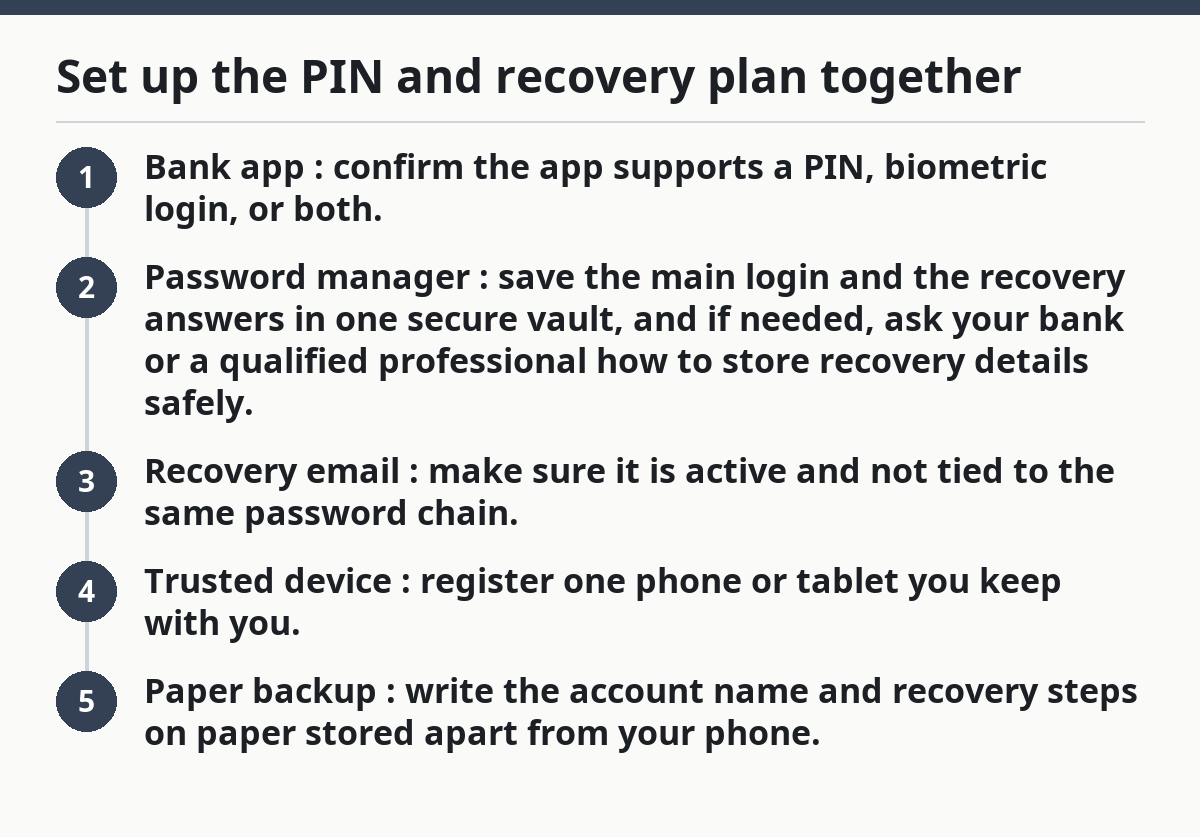
Set up the PIN and recovery plan together
Picture this: you need money for a tire, a copay, or a rent gap, and the account looks fine until the login screen asks for a code you no longer have. The fix is to build your PIN, password manager, trusted device, recovery email, and bank app recovery path at the same time.
Start with the account you actually use for savings. A password recovery plan is not just a note with a new password; it is a list of the exact methods that let you prove it is your account again. That usually means a PIN or passcode, one password manager entry, one recovery email, and at least one trusted device.
- Bank app: confirm the app supports a PIN, biometric login, or both.
- Password manager: save the main login and the recovery answers in one secure vault, and if needed, ask your bank or a qualified professional how to store recovery details safely.
- Recovery email: make sure it is active and not tied to the same password chain.
- Trusted device: register one phone or tablet you keep with you.
- Paper backup: write the account name and recovery steps on paper stored apart from your phone.
A bank app PIN is best for quick access on a device you already control. It is not the same thing as the bank password, and it should not be the same number as your phone PIN.
How should I choose a PIN for an emergency fund account?
Choose a PIN that you can remember under stress but that is hard to guess from your life details. That means no birth year, no street number, no repeating digits, and no obvious sequence like 1234 or 2580.
Picture this: you are standing in a checkout line, your phone is in your hand, and the savings app asks for a 4-digit code you typed once six months ago. A good 4-digit PIN is short enough to remember and random enough that it does not match your birthday, address, or old ATM code.
Use a PIN only if the bank app allows it and still requires the rest of the login process on a new device. A PIN should speed up access on your own phone, not replace the account’s real security. If the app uses a longer passcode, follow the bank’s format instead of forcing a shorter one.
- Avoid personal dates.
- Avoid repeated digits.
- Avoid phone-number fragments.
- Avoid the same code for email, bank, and phone lock screen.
If you already have too many codes in your head, put the PIN in a password manager note field or sealed paper record, not in your text messages.
What should go into a password recovery plan?
A password recovery plan should list every way you can get back into the account if your phone dies or your password fails. That plan needs the recovery email, trusted device, backup phone number if the bank uses one, and the steps for a reset.
Picture this: your phone is lost on a trip, and the only device that could approve the bank app login is gone with it. A good password recovery plan tells you what to use next, in order, without guessing under pressure.
Put these items in the plan:
- The bank or savings account name
- The login email for the account
- The recovery email you can still open
- The trusted device you registered
- The bank app version or device type, if the bank uses device recognition
- The location of any recovery codes
- The customer service number for the bank
- The answer to the question “What do I try first?”
Write the plan so a tired version of you could follow it in 5 minutes. Use recovery email, then trusted device, then call the bank if needed. “Use recovery email, then trusted device, then call the bank” is better than a long paragraph you will skip.
Here’s the catch: if the recovery email is protected by the same password and the same phone, it is not a recovery plan. It is a duplicate failure point. Put the backup in a separate place and protect that account too.
How do I save recovery codes without creating a mess?
Save recovery codes in two places, and keep at least one copy offline. Recovery codes are the backup keys some banks, email providers, and password managers give you for account rescue, and they usually work only once.
Picture this: you have to reset access after a device change, and the bank or email service asks for a code you never saved. That one missing code can turn a 2-minute fix into a long support call.
Use this order:
- Password manager: store the code set in a secure note if the manager supports it, and ask the provider or a qualified professional if you are unsure how to secure it.
- Paper copy: print or handwrite the codes clearly.
- Separation: keep paper away from the phone you carry every day.
- Labeling: mark what each code belongs to so you do not mix up bank and email codes.
Do not keep recovery codes in a screenshot folder only. Screenshots are easy to lose with a phone reset, and they are easy to expose if someone gets into your gallery. Do not email the codes to yourself unless the email account has strong protection and a different recovery path. For general account security guidance, see the FTC account security advice, the CFPB guidance on protecting financial accounts, and your bank’s own help pages.
A bank app, a password manager, and a recovery email can all fail at once if they depend on the same device. Separate the backups. That is the whole point.
Which backup methods should I trust most?
Trust the methods that still work when one device fails. A trusted device, a recovery email on a separate account, and a password manager with its own master password are stronger than a single phone note or a memory trick.
Picture this: your phone is locked, the app wants a reset, and your only backup is a note buried in the same phone. That is not a backup. It is a second lock on the same door.
Use this priority:
- Trusted device for quick approval when the device is still in your hands
- Recovery email for password resets and alerts
- Password manager for long, random passwords you would not type from memory
- Paper record for account names, support numbers, and recovery steps
- Bank app settings for device sign-in and security alerts
Each method should support the others. If your recovery email is the same one tied to every bill and shopping site, lock it down first. If your password manager has no master password you can remember, it becomes a problem, not a tool.
A common mistake is treating the bank app and the password manager as if they are the same thing. They are not. One gives access to money; the other stores the keys. Keep both, but do not confuse them.
What mistakes lock people out of an emergency fund?
The biggest mistake is putting every backup in the same place. A phone that holds the app, the email, the notes, and the codes can fail all at once, and then you have no clean path back in.
Picture this: you changed phones, deleted the old authenticator, forgot the recovery email password, and never wrote down the support steps. That is a self-made lockout, and it happens more often than people expect.
Watch for these errors:
- Using the same password everywhere
- Saving recovery codes only in the camera roll
- Relying on a work email you may lose
- Making the PIN too simple
- Keeping only one trusted device
- Skipping account alerts after changes
The cost is time, stress, and maybe a missed bill payment while you sort out access. The fix is boring but effective: one password manager, one active recovery email, one trusted device, and one paper backup.
If you are setting up a new emergency savings account, build the recovery plan on day one. Do not wait until the first lockout to learn what the bank asks for. For related setup help, see the emergency fund basics guide and the bank app security checklist.
What should I check every 3 to 6 months?
Check that you can still open the recovery email, sign in on the trusted device, and recall the PIN without looking. A quick review every 3 to 6 months catches dead backups before they fail in a real emergency.
Picture this: you have not touched the account in half a year, and the phone app still looks fine until the old device approval no longer works. A short checkup keeps the recovery plan alive.
Run this checklist:
- Open the bank app on the trusted device.
- Confirm the recovery email still works.
- Verify the password manager entry is current.
- Check whether recovery codes need replacement.
- Make sure the paper copy is readable and current.
- Update any phone number or email that changed.
This is also the right time to remove dead devices from the account list. Old phones and tablets should not stay linked forever. If the bank lets you review sign-in history or registered devices, use it.
For broader savings access rules, the hub page on emergency fund access rules should sit next to this one. This article stays focused on recovery so the plan stays simple. If you are unsure about device removal or account recovery steps, check your bank’s help center or speak with a qualified financial professional.
What recovery information should I keep for emergency savings access?
Keep the account name, login email, recovery email, trusted device list, and any recovery codes. Keep the bank app support number too. If a reset depends on a phone number or hardware key, include that in the same note so you are not guessing later.
How do I avoid being locked out of my savings account?
Use more than one recovery path and separate them across different tools. A bank app, a password manager, and a recovery email should not all depend on the same phone and password. Review the setup every 3 to 6 months so dead backups do not surprise you.
Should I store recovery codes separately?
Yes, store recovery codes separately from the device you use every day. Keep one copy in a password manager and one offline on paper if you can. That way a lost phone, wiped tablet, or broken screen does not take the only backup with it.
Drafted with AI; not yet reviewed by a person.