Last updated: November 19, 2026
Quick answer: 0 extra fees is possible when you use an in-network ATM and decline any surcharge prompt. How to Use Emergency Savings at an ATM Without Triggering Extra Charges is about using the right card, the right machine, and the right account settings. Use an in-network ATM tied to your debit card and checking account; that is the cleanest way to avoid surprise bank fees. The steps below show what to check before you withdraw cash and what to do if the machine starts adding charges.
Key takeaways
- The simplest path is to use your own bank’s ATM or a network ATM your bank names as free.
- A savings account can still be the source of the money, but the cash usually moves out through a linked debit card, not directly from the savings balance at the machine.
- The fee risk comes from three places: your bank, the ATM owner, and foreign ATM use.
- Withdrawal limits can stop you even when you have enough money saved.
- Debit card controls and cash planning matter as much as the ATM itself.
What to check before you walk up to the ATM
Picture this: you need cash fast, you’re standing in front of an ATM, and you only want the withdrawal to leave your emergency fund—not extra charges. The first check is your card type, your bank’s ATM network, and whether your account allows cash access from that machine.
Start with these 4 things:
- Confirm which account the card pulls from. Most ATM withdrawals use a debit card linked to a checking account, even if the money you mean to spend sits in a savings account. If your savings is not linked to the card, you may need a transfer first.
- Look for your bank’s network name. Many banks label ATMs as free only inside a named network or at their own machines. If the screen shows a “foreign ATM” or “surcharge” notice, you may be about to pay.
- Check your daily withdrawal limit. Your bank may cap cash withdrawals by day, not by balance. If you need more than the limit, the machine may decline the request even when your account has enough.
- See whether your debit card has controls turned on. Some banking apps let you lock cash withdrawals, limit ATM use, or get alerts. If those controls are active, the ATM may reject the card before cash comes out.
The result you want is boring: the ATM accepts the card, shows the withdrawal amount, and does not add an owner fee notice. That is usually the sign you are on a lower-cost path.
Read the screen before you tap. An ATM can ask a question that changes the cost.
How do I use emergency savings at an ATM without paying extra?
You use emergency savings at an ATM without paying extra by choosing a free network ATM, withdrawing from the right account path, and skipping any fee prompts on the screen. The cleanest route is an in-network ATM attached to your bank or debit network. Here’s the catch: the ATM may still try to add its own surcharge even when your bank does not.
Follow these steps in order:
- Use the bank app to confirm the ATM network first. Open your bank app or site and find the ATM locator. Look for language like “no fee,” “in network,” or “surcharge-free.” When this works, the machine should appear on your bank’s approved list.
- Insert or tap the debit card tied to the account with cash access. Most ATM withdrawals happen through a debit card, not by reaching directly into a savings balance. If your savings account is separate, make sure it is linked to the spending account you use at the ATM.
- Choose withdrawal, not balance transfer. Pick the cash withdrawal option and enter the amount you need. If the machine offers a cash advance or other special path, stop and read the fee notice before you continue.
- Decline optional service charges if the ATM offers them. Some machines show their own fee on screen and ask you to accept it. If you see a surcharge warning, cancel the transaction unless you are stuck and the fee is worth it.
- Take the receipt or screen confirmation. A successful withdrawal should show the amount taken and, if there was a fee, list it before the cash comes out. If no fee appears, that is what you want to see.
If you’re using cash from emergency savings more than once, keep a small note in your phone about which ATM networks your bank treats as free, and consider asking your bank or a financial professional how to keep the setup simple. The CFPB’s guidance on ATM and debit card fees is a good place to start.
One warning: if your bank charges for out-of-network withdrawals, the fee may appear even when the ATM itself says nothing. The bank’s side and the ATM owner’s side are not always the same.
How bank fees show up on an ATM withdrawal
Bank fees can show up as a separate ATM surcharge, a foreign ATM fee from your bank, or both. That means one withdrawal can carry two charges if you use the wrong machine. The Federal Trade Commission explains that ATM owners may charge their own fee, and your bank may add another fee on top of it. The Consumer Financial Protection Bureau also explains that fees can come from your bank and the ATM operator, depending on the setup. See the CFPB’s consumer guidance on ATM and debit card fees and the FTC’s guidance on ATM fees.
The main fee types are simple:
- ATM owner fee: the machine operator charges you for using the machine.
- Bank fee: your bank charges for using an out-of-network ATM.
- Foreign ATM fee: some banks call any outside-network machine “foreign,” even if it is in the same city.
- International fee: if you use a machine outside the country, your bank or card network may add another layer of cost.
The screen usually gives you a chance to stop before the charge posts. You may see a “yes” or “no” prompt for the surcharge. If the machine asks you to accept a fee you did not expect, cancel and find another ATM if you can.
A quick rule helps here: no fee notice, no rush. Read the prompt, then decide. If the fee is small and the cash is urgent, you may still choose the withdrawal. But don’t let a machine make the choice for you.
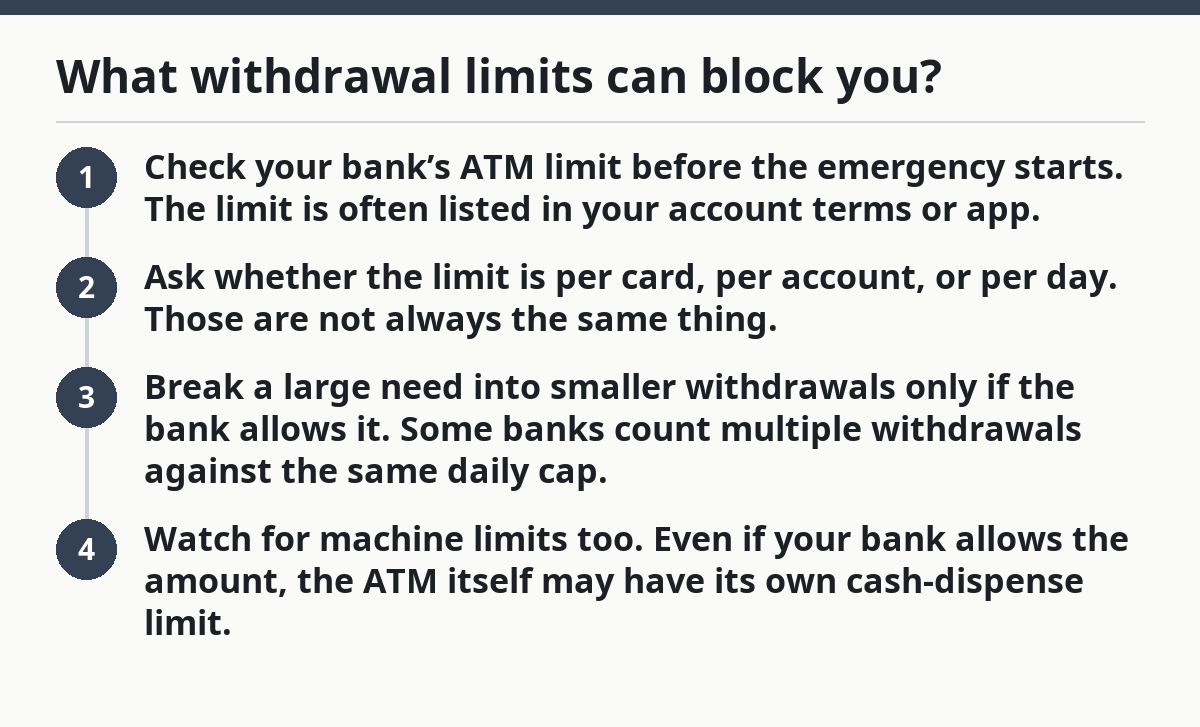
What withdrawal limits can block you?
Withdrawal limits can block you even when your emergency savings balance is high, because many banks cap ATM cash by day. The ATM may say you have enough money in the account and still refuse the request if the amount is over the limit. That is a common mistake, and it can waste time when you need cash in minutes.
Here’s how to avoid that problem:
- Check your bank’s ATM limit before the emergency starts. The limit is often listed in your account terms or app.
- Ask whether the limit is per card, per account, or per day. Those are not always the same thing.
- Break a large need into smaller withdrawals only if the bank allows it. Some banks count multiple withdrawals against the same daily cap.
- Watch for machine limits too. Even if your bank allows the amount, the ATM itself may have its own cash-dispense limit.
If you need a larger amount, an ATM may not be the right tool for the full job. That is not a failure. It just means the machine has a ceiling, often much lower than the balance in a checking or savings account. In that case, your emergency plan should include a separate cash option.
Don’t assume the balance tells the whole story. The limit can be the real barrier.
Can I pull emergency money from savings, or does it have to come from checking?
You usually pull cash at an ATM through checking, even if the money started in savings. Many banks do not let a savings account act like a transaction account at the machine without a linked debit card or a transfer first. If your emergency fund sits in a savings account, the ATM withdrawal path may still run through your checking account.
That matters because the account link can affect both access and fees. If your checking account is the one attached to the debit card, the ATM will use that route first. If you keep your emergency fund in savings and transfer money between accounts, the timing of that transfer can matter too, especially if you are trying to avoid extra charges and avoid waiting around.
Use this simple check:
- If the debit card is tied to checking, see whether your bank allows withdrawals from that checking balance with money already moved over from savings.
- If the emergency savings sits in a separate savings account, confirm that the transfer to checking has finished before you leave for the ATM.
- If your bank uses a linked savings overdraft or transfer feature, read the fee terms before you rely on it in a rush.
A lot of people get tripped up here because they think “my savings” and “my ATM withdrawal” are the same thing. They are not. The machine sees the linked card and the account path, not your intent.
What to do if the ATM is out of network or in another country
An out-of-network ATM or a foreign ATM can turn a simple withdrawal into a fee stack. That means the machine may charge you, your bank may charge you, and your card network may add a conversion cost if you are abroad. The clean fix is to wait for an in-network machine when you can. The practical fix is to know the cost before you confirm.
If you are abroad or using a machine outside your bank’s network, do this:
- Read the fee notice on screen. Some ATMs show the owner’s fee before you approve the cash.
- Choose to be charged in the local currency if the ATM gives you a choice. Dynamic currency conversion often builds in a worse exchange rate or extra markup.
- Keep the withdrawal small and planned. Don’t withdraw more just because you are already paying a fee.
- Check your bank’s international ATM policy before travel. A bank fee abroad can be different from a fee at home.
This is where emergency cash planning pays off. If you know you will need cash while traveling, the time to check fee rules is before the trip, not at the airport ATM with a line behind you.
Simple cash planning that keeps the damage small
Cash planning keeps an emergency withdrawal from becoming a fee habit. The goal is not to use ATMs often. The goal is to use them on your terms, with the least friction possible. A small amount of preparation can save a repeated fee on every withdrawal.
Use these habits:
- Keep your emergency fund in an account with a linked debit card you understand.
- Keep the bank app on your phone and signed in.
- Know your daily ATM limit before you need it.
- Keep a list of two nearby network ATMs.
- Use one withdrawal for the amount you truly need, not several small ones unless the bank permits it.
If you want the broader money system behind this, the hub on Emergency Fund Access and Availability explains the larger setup. This page is only about the ATM withdrawal piece.
The real trade-off is speed versus cost. An ATM gives you cash fast. A wrong ATM can shave money off a fund that was meant to protect you.
Do savings withdrawals at ATMs cost money?
They can cost money, depending on the ATM, your bank, and the network. The ATM owner may charge a surcharge, and your bank may add its own fee if the machine is out of network. If you use a foreign ATM abroad, you may also face extra charges or conversion costs.
How can I avoid ATM fees when using emergency money?
Use your bank’s own ATM or a surcharge-free network ATM and check the fee notice before you approve the withdrawal. Your bank app or ATM locator usually shows which machines are free. If the screen shows a surcharge you did not want, cancel the transaction.
What should I check before withdrawing cash?
Check the account path, the ATM network, your daily withdrawal limit, and any fee prompt on the screen. If the card is tied to checking but your money sits in savings, make sure the transfer or link is already in place. Also confirm whether the machine is in your bank’s network or in another country.
Drafted with AI; not yet reviewed by a person.