Last updated: November 19, 2026
Quick Answer: A practical emergency fund debit card backup plan usually has 3 parts: a spare debit card, a backup account, and a remembered PIN. This guide explains how to choose How to Choose an Emergency Fund Debit Card Backup Plan so you can still reach cash or pay a bill if the main card fails. The right setup depends on your bank, your ATM network, and how fast you can replace a lost card.
Key Takeaways
- Keep the plan simple enough to use under stress.
- One card failure should not lock your savings.
- A backup account only helps if it uses a different card or route.
- PIN access matters as much as the card itself.
- Store spare access where you can reach it, not where a thief can.
- Travel and replacement delays change the risk, so plan for both.
The fastest workable debit card backup plan
If your main debit card is missing, the ATM swallows it, or your wallet is gone after a bad day, you still need money for rent, fuel, or a hotel. You need a plan that works in minutes, not someday.
Start with a backup checking account tied to a second debit card, then keep a small cash buffer and a spare PIN method. That setup gives you a fast real-world fallback without forcing every emergency through one card. The truth is, a debit card backup plan is not about storing money in a fancy way; it is about keeping access alive.
-
Open a second account at a different bank or credit union.
Pick an institution that does not depend on the same card network as your main account if you can avoid it. When this works, you have a second debit card and a second login that can still move money if the first bank app is down. -
Link the backup account to a debit card you do not use daily.
Keep it for emergencies only. If the card lives in your wallet and gets used for coffee runs, it stops being a true backup and gets easier to lose. -
Store the spare card in a separate place.
A locked drawer, fire safe, or another trusted location works better than “somewhere in the house.” If you can reach it in 5 minutes, you win. If it is buried in a junk drawer, you do not. -
Set a PIN you can remember without writing it on the card sleeve.
Use a number you know cold, but not one tied to your birthday or address. If you ever need an ATM, the correct PIN is the difference between access and a dead end. -
Make sure the card works on a major network.
Visa and Mastercard debit cards are accepted at many ATMs and merchants, but the exact acceptance depends on the machine and the country. If your backup card is network-limited, it may fail exactly when you need it. -
Keep a small cash reserve outside the card plan.
Even $100 to $300 in cash can buy time if a card is frozen, a phone dies, or a bank outage hits. That cash is not your whole emergency fund; it is your short-term bridge. -
Save your bank app login and recovery method.
The app is the third leg of the stool. If the card is gone but the bank app still works, you may be able to move money, check balances, or freeze the card fast.
A backup plan works when you can picture the exact steps you would take at 11 p.m. on a Friday. If you cannot describe those steps in one minute, the plan is too complicated.
How to pick the right backup account and card
If you already have savings, but the debit card attached to your main checking account is the only way you can touch it, that is the weak point. A better plan splits the risk across 2 accounts and avoids a single failure.
Choose the backup account based on how your money would move in a real emergency, not on brand names alone. Ask three questions: can I get a debit card, can I use the bank app from a phone, and can I move money into the account quickly from my main checking account? If the answer to any of those is no, the backup is weaker than it looks.
Look for these traits:
- A debit card with broad ATM acceptance.
- Mobile app access with biometric login.
- Fast transfer options between accounts at the same bank or through external transfer rails.
- Clear card replacement steps if the backup card is lost.
- No rule that forces in-person visits for basic account access.
Now you might be wondering whether the backup account should hold a big balance. The answer is usually no. Keep enough there to cover the first hit, like a hotel night, a rental car hold, or a repair deposit. The rest of the emergency fund can stay in your main savings account, but the backup path should be ready if that main path breaks.
This is where many generic guides go wrong. They talk about “having access” as if every bank app and ATM behaves the same. It does not. Some cards work well at a bank’s own ATMs and poorly elsewhere. Some apps lock you out after a new device login. Some backup accounts are easy to open but annoying to use under pressure. The plan only works if the weakest link is still usable.
If you want a broader system view, the hub page on [Emergency Fund Access and Availability] should sit next to this one so the whole setup makes sense. For account structure, see [How to Build an Emergency Fund]. For bank-side access basics, [How to Freeze a Debit Card] covers the first response.
What card replacement timing means for your backup plan
If your main debit card is lost on a Thursday afternoon, and the replacement card takes days to arrive, that delay is the whole reason the backup plan exists. It is not enough to say “I can order a new card”; you need access before the mail shows up.
Replacement timing matters because a lost card is often a same-day problem and a replacement is often a multi-day solution. If your bank can freeze the card in the app and issue a digital replacement or instant card at a branch, that is strong. If it mails a replacement and nothing else, that is slower than most emergencies.
Use this test:
- If the card vanished tonight, how do you get money tomorrow morning?
- If the bank app is locked out, what is Plan B?
- If you are traveling, can you still reach funds without waiting for mail?
A backup debit card helps only if it is already active and accessible. A card sitting in a mailer or waiting to be activated is not a backup; it is a future task. The best setup is a card that is already ready, plus a second way to move funds, such as a checking account transfer or a cash reserve.
Here’s the catch: a lot of people keep their emergency money in savings and assume the debit card attached to checking solves the problem. Sometimes it does. Sometimes the checking account is nearly empty, the card is expired, or the bank app is the only way to move funds. That is why replacement timing is part of the plan, not an afterthought.
For bank replacement policies, see the consumer guidance from the Consumer Financial Protection Bureau and card-network help pages from Visa or Mastercard.
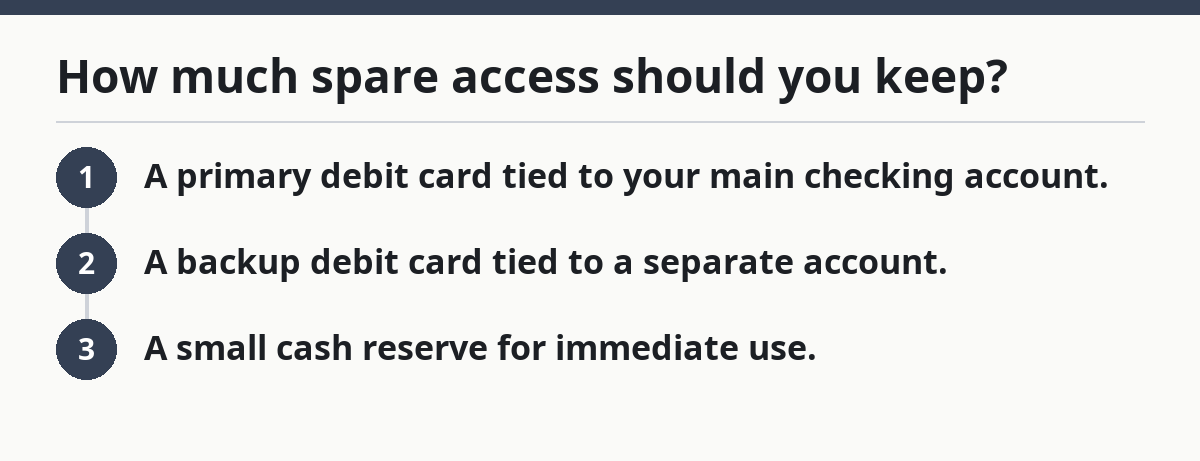
How much spare access should you keep?
You are not trying to fund your whole life from the backup card. You are trying to survive the gap between the first problem and the next normal banking day. That gap is often 1 to 3 days, and your backup should cover that window.
A strong plan usually has three layers:
- A primary debit card tied to your main checking account.
- A backup debit card tied to a separate account.
- A small cash reserve for immediate use.
The right amount of spare access depends on your life. If you live near your bank, have a stable phone, and never travel far, a lighter backup may be enough. If you drive long distances, work odd hours, or rely on one card for everything, you need a stronger fallback.
Use the following guide:
- Keep enough in the backup account to cover a fast emergency purchase or withdrawal.
- Keep enough cash for the kind of surprise that happens when machines fail.
- Keep the rest of the emergency fund where it earns interest or stays separate from daily spending.
Do not make the backup card do jobs it was never meant to do. If you start using it as a daily card, you blur the line between emergency access and normal spending. That usually leads to missed balances, forgotten logins, and a backup that is no longer clean.
A simple system works best. You need one that still works when your hands are shaking and your phone battery is low.
How to store the spare card and protect the PIN
If you have the right backup card, but it is in the wrong place or tied to a PIN you cannot remember, that is a failure, not a backup. Storage and PIN rules are where many people quietly break their own plan.
Store the spare card somewhere physically separate from your wallet. If your wallet is lost, stolen, or left behind, the backup card should still be there. A home safe, locked file box, or another secure spot is better than a glove box or desk tray. If someone else can grab both cards at once, the plan collapses.
Use a PIN that is easy for you to recall and hard for someone else to guess. Avoid birthdays, house numbers, repeated digits, and obvious patterns. If the card is for ATM use, the PIN is not optional. Write it down only if you can store it in a protected place that does not travel with the card.
A simple storage rule works well:
- Card stays at home, not in the wallet.
- PIN stays in memory or in a secure password manager.
- Backup account login stays separate from your main email if possible.
This is one of the most common mistakes: people keep the spare card “close” by putting it in the same bag, same wallet, or same phone case as the main card. That makes the backup look ready while leaving both cards exposed to the same theft or loss. It costs you redundancy, which is the whole point.
If your bank app allows card controls, use them. Freezing and unfreezing a debit card from the app can help when you are sorting out a missing card. Just do not mistake card controls for a full backup. An app can fail, a phone can die, and a password reset can stall.
What should travel and ATM compatibility change?
If you are away from home, the nearest branch is unfamiliar, and the ATM you find does not recognize your card, network choice and travel fallback stop being abstract and start being expensive.
Pick a backup card that has good ATM network compatibility where you actually go. If you travel inside the U.S., that usually means checking whether the card works at broad ATM networks and at bank-owned machines in the places you visit. If you travel abroad, acceptance gets even more uneven, and you should not assume every debit card will work the same way.
The backup plan should include a route that does not depend on one device or one branch:
- bank app access on your phone,
- a second debit card,
- a separate checking account,
- a small cash reserve.
Do not wait until the airport or a road trip to discover that your card works only at one ATM brand. Test it near home in normal conditions. If it fails there, it will not get better under stress.
Travel is also where spare card storage gets tricky. You may decide to carry the backup card with you on a trip rather than leave it at home. That can make sense, but only if the main card is stored separately and you are not defeating the point by putting both in the same bag. If the trip is short and the risk is high, split the cards.
One more thing: if your bank has a good app but weak phone recovery, travel can expose that flaw fast. A lost phone and a locked account can strand you. Make sure your email recovery, two-factor setup, and app password are all current before you leave.
The common mistakes that break a backup plan
If the plan looked fine on paper, but the first real problem exposed the weak spots, that usually means the backup card is being treated like a duplicate instead of a separate route.
The biggest mistakes are simple:
- keeping both cards in the same wallet,
- using the same PIN style everywhere,
- choosing a backup bank that is hard to access,
- assuming the app will save you even if the phone is lost,
- never checking whether the card actually works at an ATM.
Each mistake has a cost. If both cards disappear together, you have no fallback. If the PIN is forgotten, the ATM is useless. If the account is at the same bank with the same app lockout rules, one outage can hit both paths. The fix is to separate the failure points.
A strong debit card backup plan is boring on purpose. It should survive lost wallets, card outages, branch closures, and the kind of day where you cannot think clearly. If the plan depends on perfect memory or perfect internet, it is too fragile.
Choose the plan you can explain in 30 seconds
If you are standing at a checkout line or a gas station, and you need to explain your backup plan to yourself before you make a move, then it is probably good enough. If not, trim it down.
The best emergency fund debit card backup plan is the one you can actually use: a separate backup checking account, a spare debit card stored apart from the main one, a remembered PIN, a bank app that still works, and a little cash for the first hit. Choose the version that covers your weakest link, not the fanciest one.
Wrong choice? A setup with one card, one bank app, and no spare access is not a plan. It is a single point of failure.
Should I keep a spare debit card for emergencies?
Yes, if you can store it separately and keep it tied to a real backup account. A spare card helps most when your main card is lost, frozen, or out of reach. It is less useful if it lives in the same wallet or uses the same fragile setup as the main card.
What if my card is lost or stolen?
Freeze it in the bank app or call the bank right away, then shift to your backup card or cash reserve. The backup plan works best when the spare card and PIN are already ready before the loss happens. If you wait to set that up after the loss, the delay can make a bad day worse.
Drafted with AI; not yet reviewed by a person.